


 USD
USD EUR
EUR GBP
GBP CAD
CAD AUD
AUD MXN
MXN






































































- COMPANY INFO
- About Us
- New User Guide
- Contact Us
- FAQ List
- Buyers Show
- Customs & Duties
Welcome to Yeajewel.com! We'd love to help you.
Registration is free. Once you have a confirmed account, you'll be able to:
√ Add Favorites items to your Cart
√ Check History Order Information
√ Package Tracking
√ Quick to Reorder
√ Print Invoice
We provide the following ways for you to register Yeajewel:
• Register by Email
• Register by Google
• Register by Facebook
• Register by PayPal
Mobile users to get started, follow these steps:
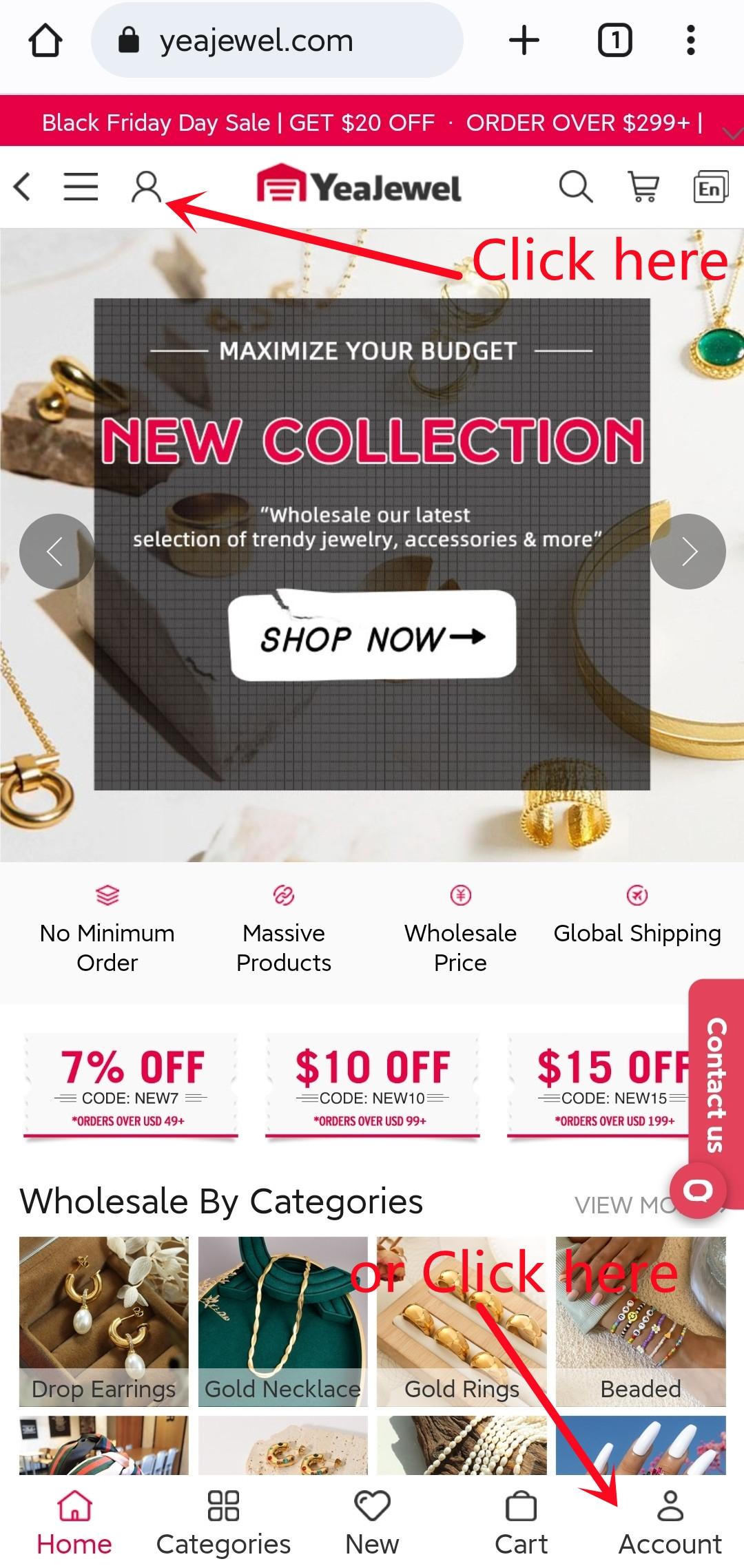
Step 1: Click "Account" at the top/bottom of the site
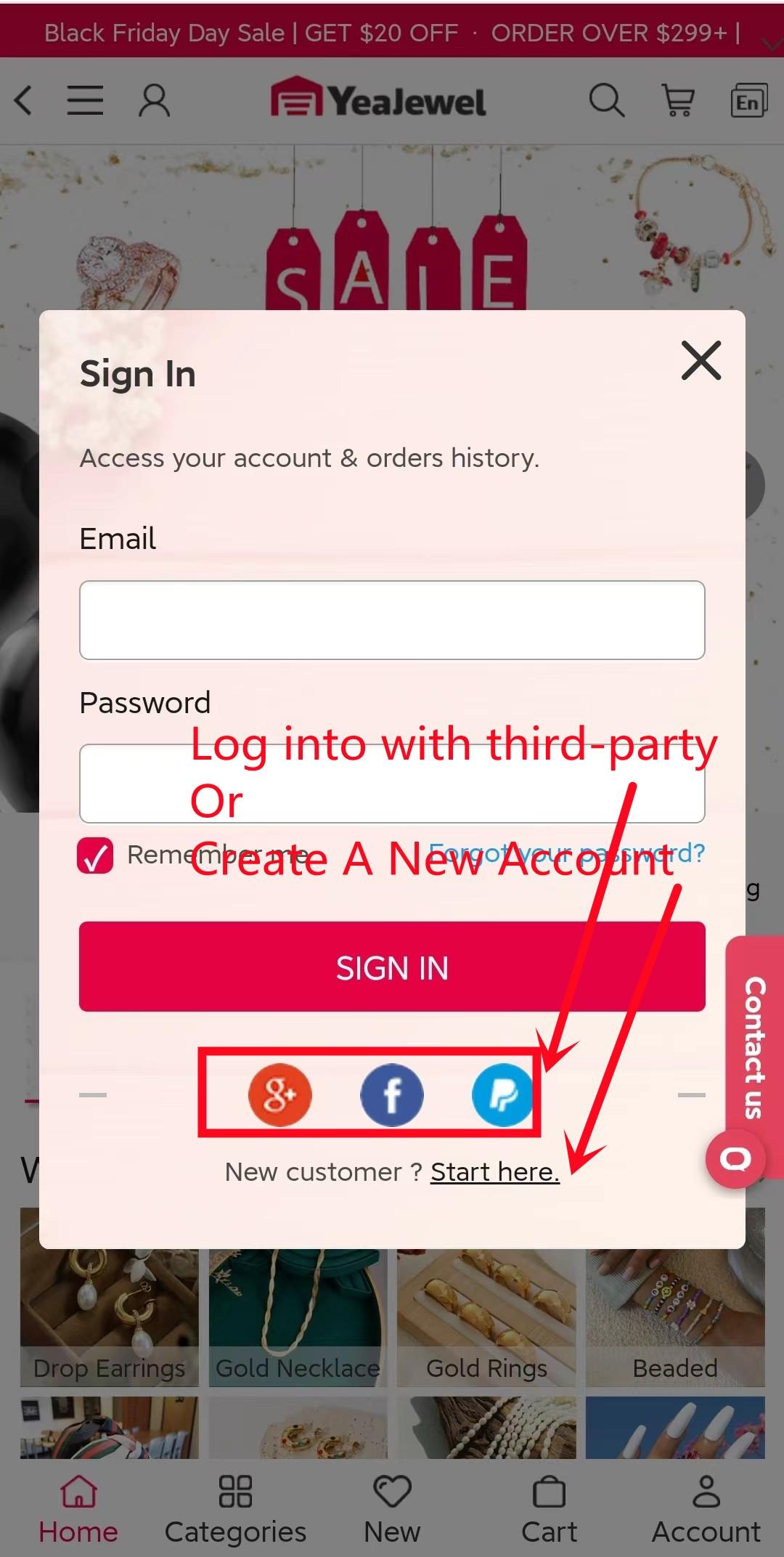
Step 2: Choose Email, Google, Facebook, or PayPal Method to Sign Up
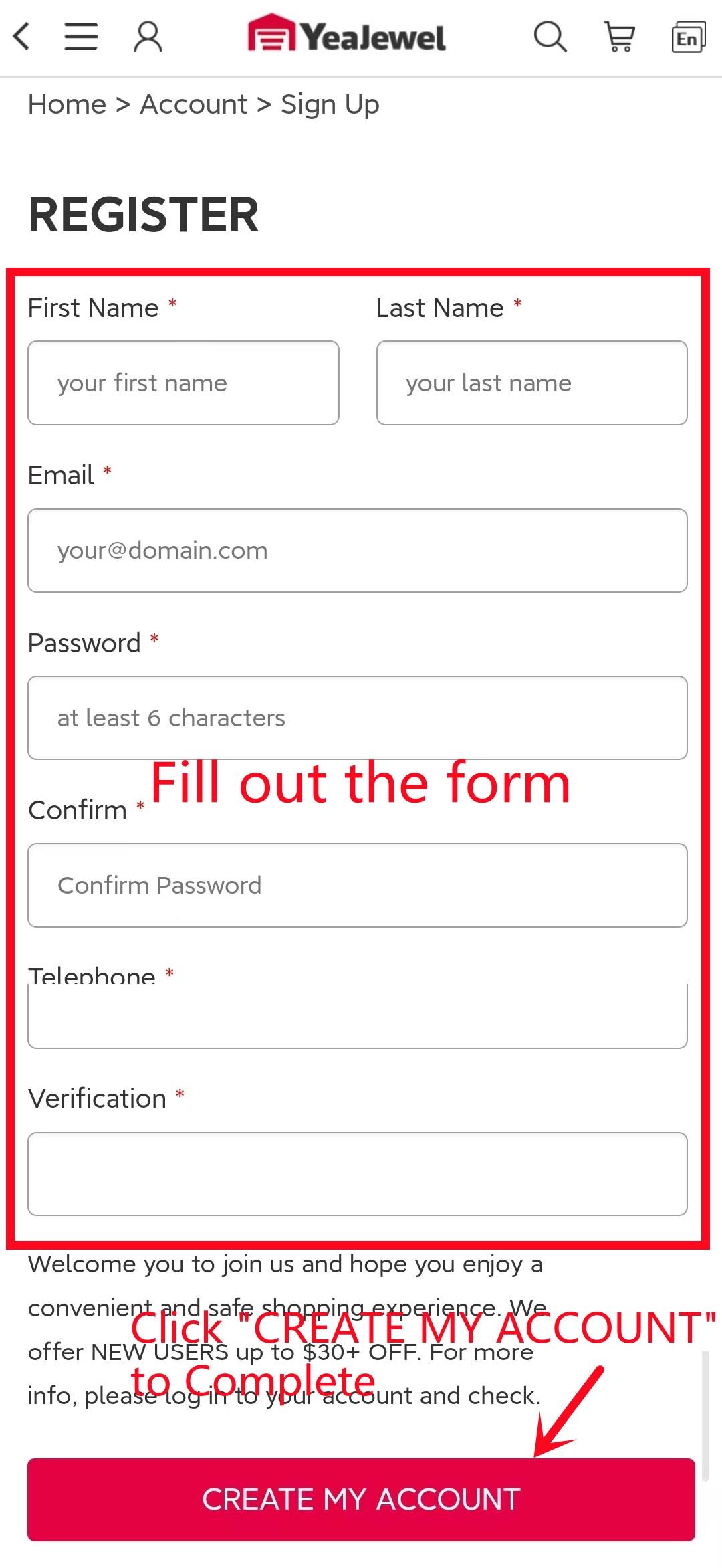
Step 3: Set up your profile. Fill out the form and Create an Account
PC users to get started, follow these steps:
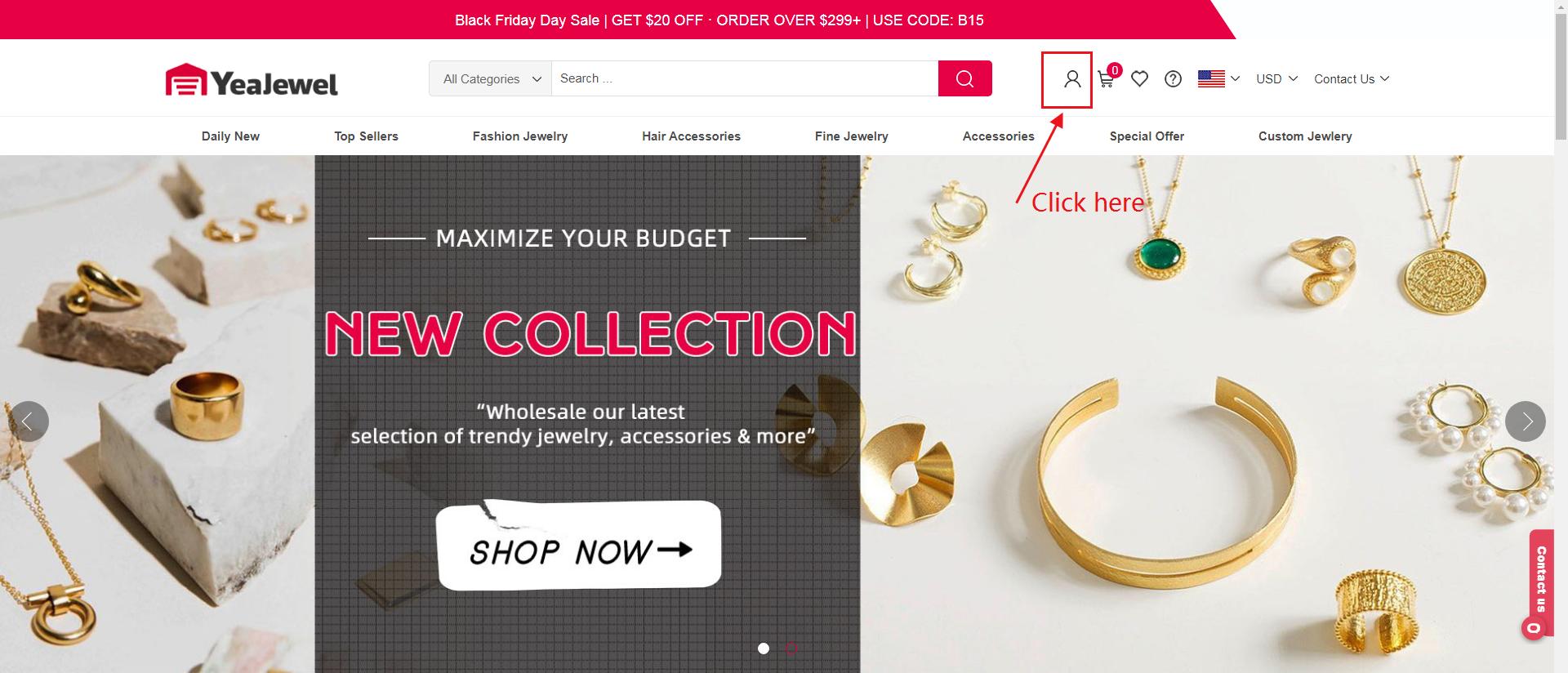
Step 1: Click "Account" at the top of the site
Step 2: Choose Email, Google, Facebook or PayPal Method to Sign Up
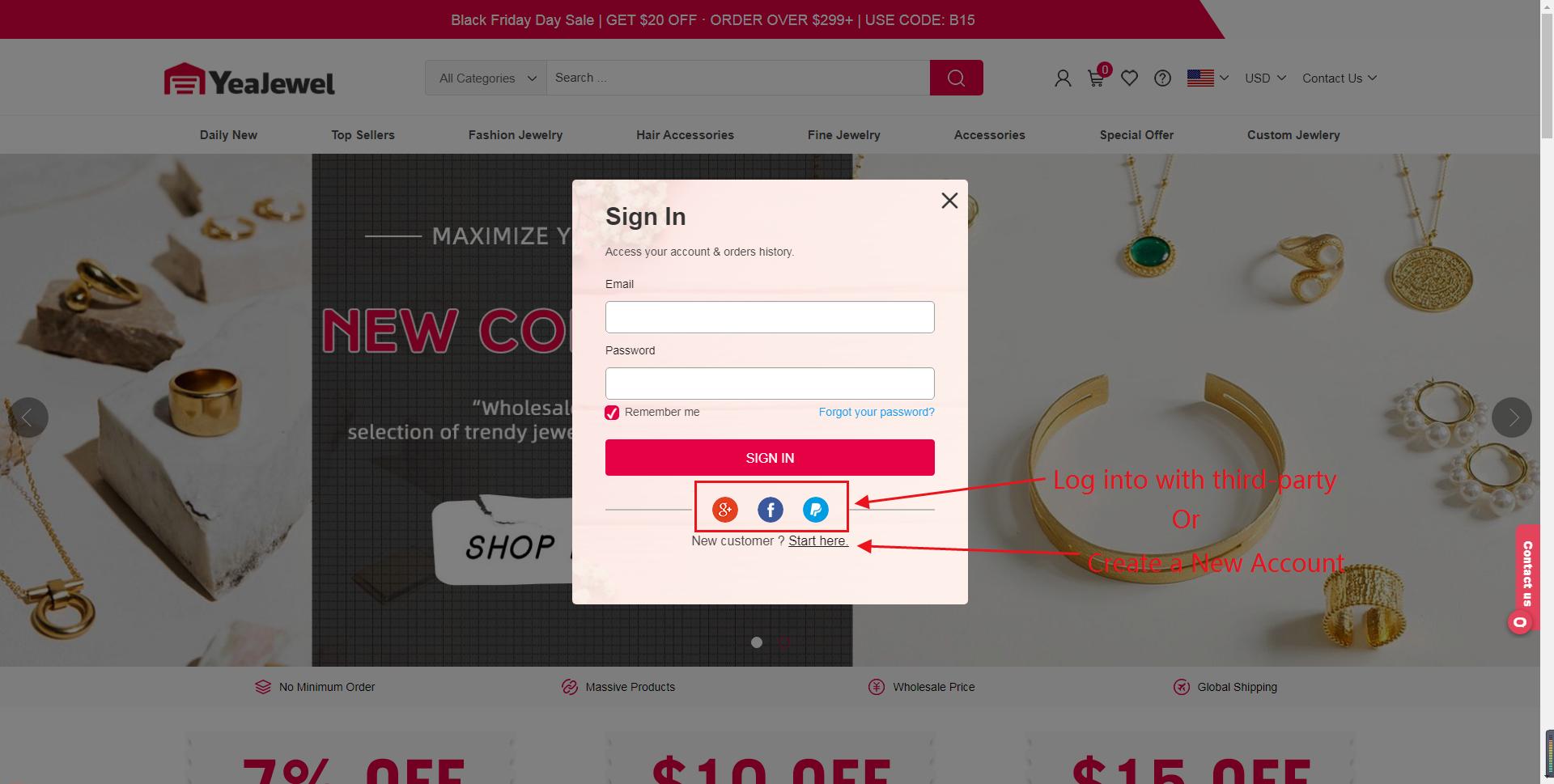
Step 3: Set up your profile. Fill out the form and Create an Account
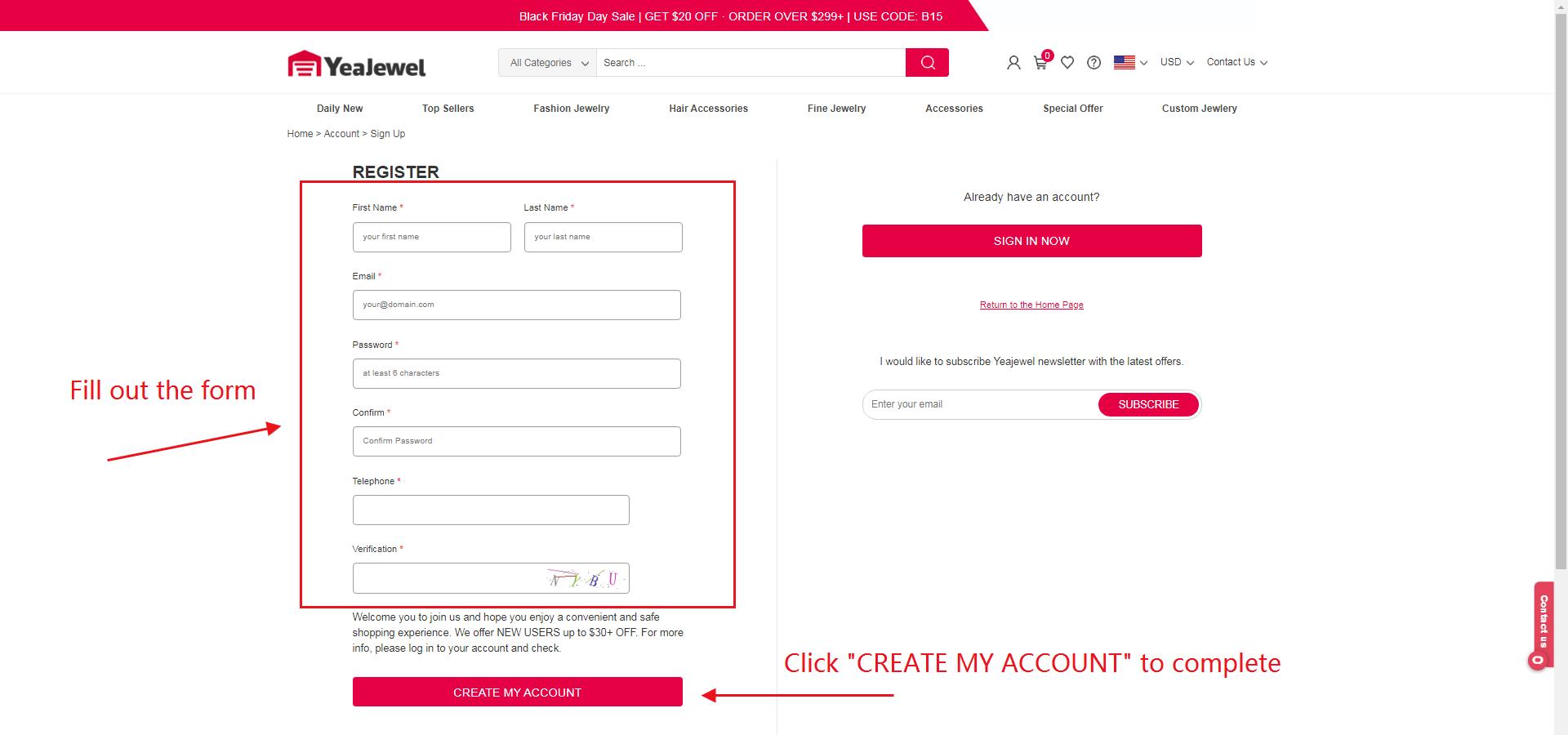
After created, you should receive a confirmation email from service@yeajewel.com within a few minutes. If you don't see the confirmation email: Check to make sure that it hasn't ended up in your spam or junk mail folder. If you're using Gmail, check your Social and Promotions tabs.
If you have any trouble at all, get in touch with us. We'd be happy to help you.
Registration is free. Once you have a confirmed account, you'll be able to:
√ Add Favorites items to your Cart
√ Check History Order Information
√ Package Tracking
√ Quick to Reorder
√ Print Invoice
We provide the following ways for you to register Yeajewel:
• Register by Email
• Register by Google
• Register by Facebook
• Register by PayPal
Mobile users to get started, follow these steps:
Step 1: Click "Account" at the top/bottom of the site
Step 2: Choose Email, Google, Facebook, or PayPal Method to Sign Up
Step 3: Set up your profile. Fill out the form and Create an Account
PC users to get started, follow these steps:
Step 1: Click "Account" at the top of the site
Step 2: Choose Email, Google, Facebook or PayPal Method to Sign Up
Step 3: Set up your profile. Fill out the form and Create an Account
After created, you should receive a confirmation email from service@yeajewel.com within a few minutes. If you don't see the confirmation email: Check to make sure that it hasn't ended up in your spam or junk mail folder. If you're using Gmail, check your Social and Promotions tabs.
If you have any trouble at all, get in touch with us. We'd be happy to help you.